# การกำหนดพื้นที่แสดงผลลายเซ็นอิเล็กทรอนิกส์
ผู้ใช้สามารถกำหนดพื้นที่แสดงผลลายเซ็นอิเล็กทรอนิกส์ บนเอกสารที่เสนอได้โดยมีขั้นตอนการดำเนินการดังต่อไปนี้
1\. สร้างเอกสาร
2\. เพิ่มเอกสารแนบ
[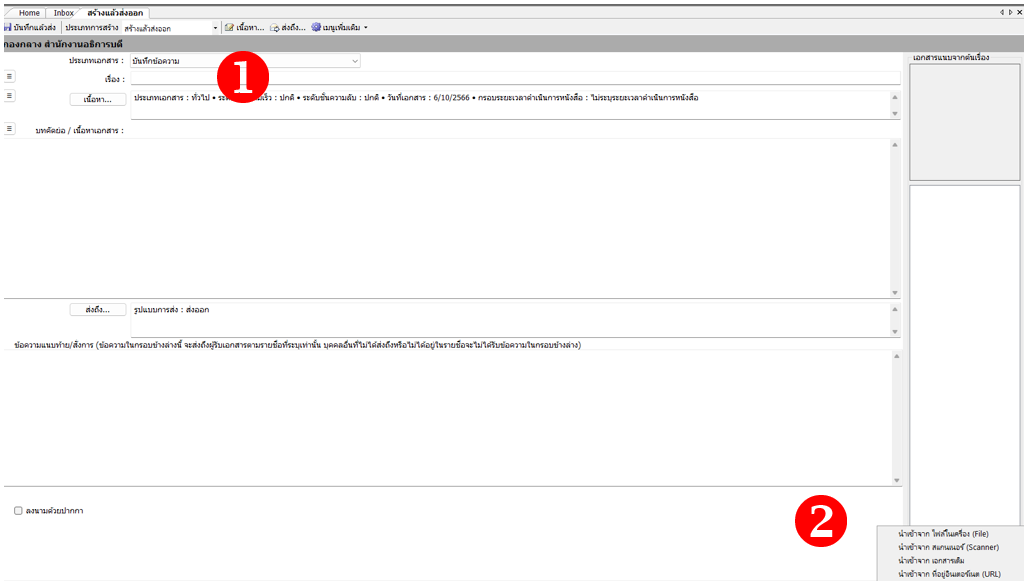](https://arit-manual.nstru.ac.th/uploads/images/gallery/2023-10/1Amimage.png)
3\. คลิกขวา เลือกกำหนดพื้นที่แสดงผลลายเซ็นอิเล็กทรอนิกส์
[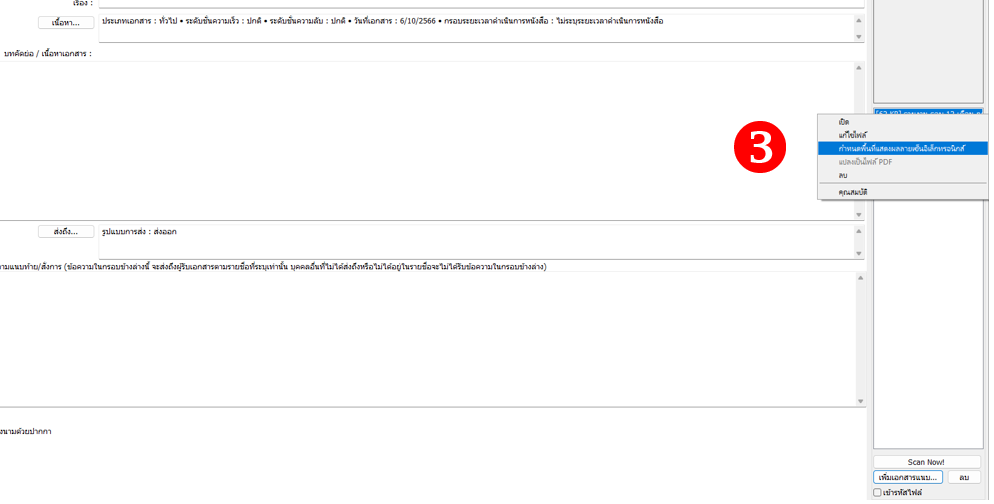](https://arit-manual.nstru.ac.th/uploads/images/gallery/2023-10/Tbgimage.png)
4\. คลิกเพิ่ม เลือกลงนามอิเล็กทรอนิกส์ หรือลงนามอิเล็กทรอนิกส์และเกษียณ (แล้วแต่กรณี)
[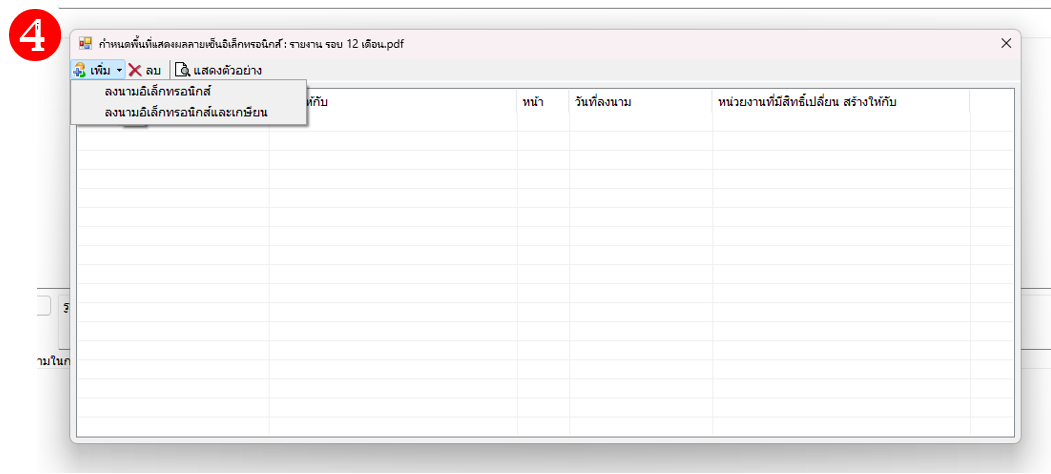](https://arit-manual.nstru.ac.th/uploads/images/gallery/2023-10/HBoimage.png)
5\. เลือก ผู้ลงนาม โดยให้เลือกชื่อคนเท่านั้นห้ามเลือกตำแหน่ง เพราะลายเซ็นอิเล็คทรอนิกส์นั้นจะผูกติดกับชื่อผู้ใช้งานเท่านั้น \*\*\*\* หากท่านเลือกตำแหน่งระบบจะแสดงผลลายเซ็นต์ต่อท่ายจากเอกสารท่าน\*\*\*\* ซึ่งตอนที่ส่งไปยังปลายทางให้ผู้ลงนามเลือกตำแหน่งของตนเองภายหลัง อ่านรายละเอียดได้จาก[คู่มือผู้บริหาร](https://edoc.nstru.ac.th/DocClient/download/MAN_UW-NSRU66-EDOC-02-EDOC_EX.pdf)
[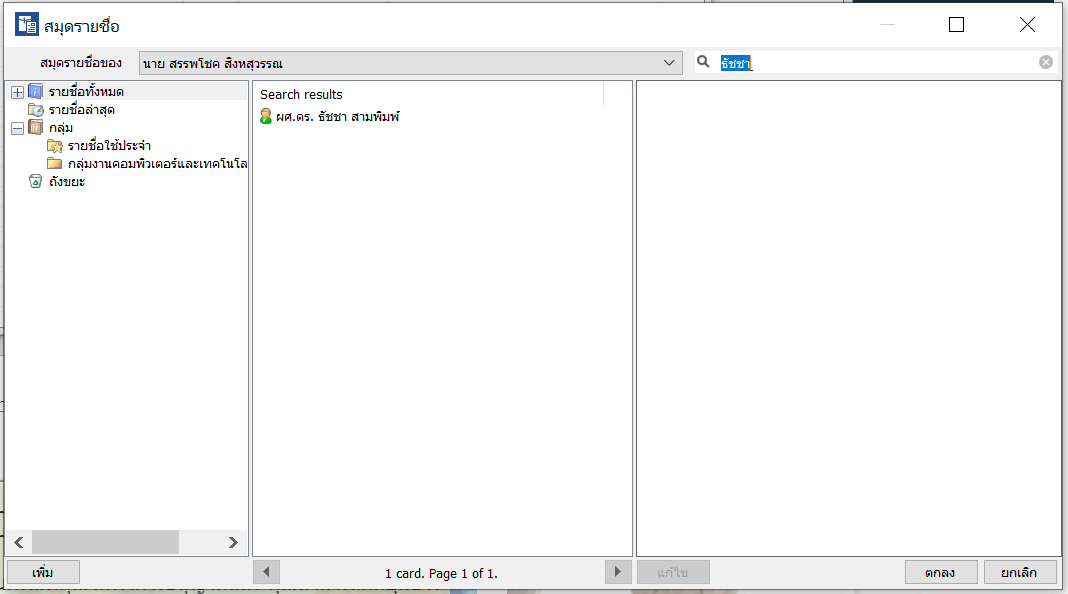](https://arit-manual.nstru.ac.th/uploads/images/gallery/2023-10/yKnimage.png)
6\. เลือกพื้นที่ในการลงนามในเอกสาร
[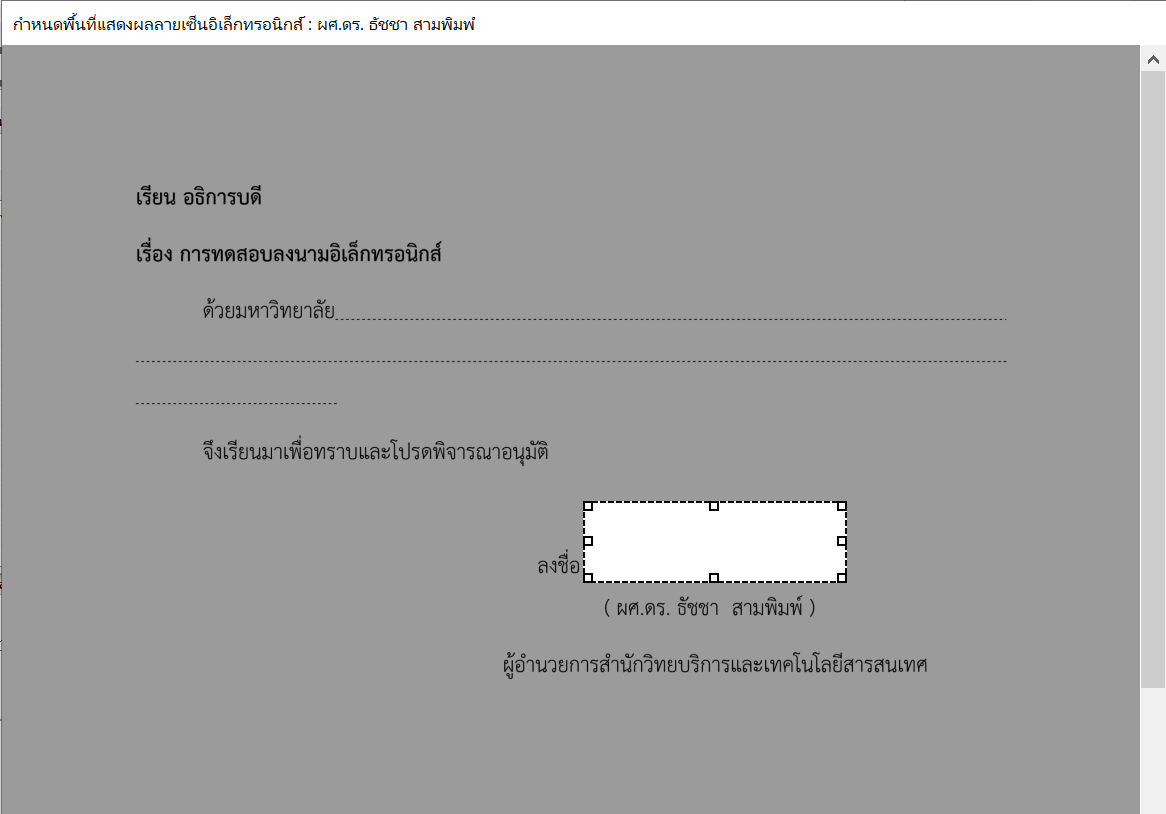](https://arit-manual.nstru.ac.th/uploads/images/gallery/2023-10/t8Vimage.png)
คลิกปุ่ม ตกลง เพื่อบันทึกชื่อผู้ลงนาม
[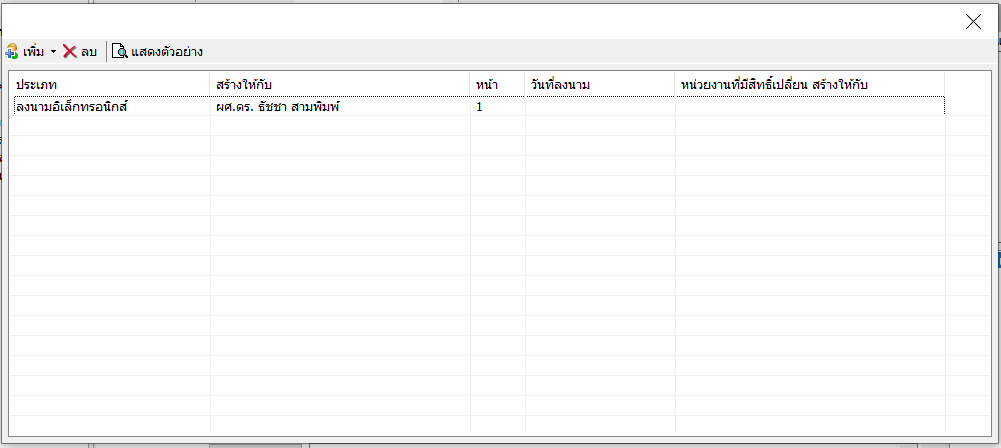](https://arit-manual.nstru.ac.th/uploads/images/gallery/2023-10/JBNimage.png)
[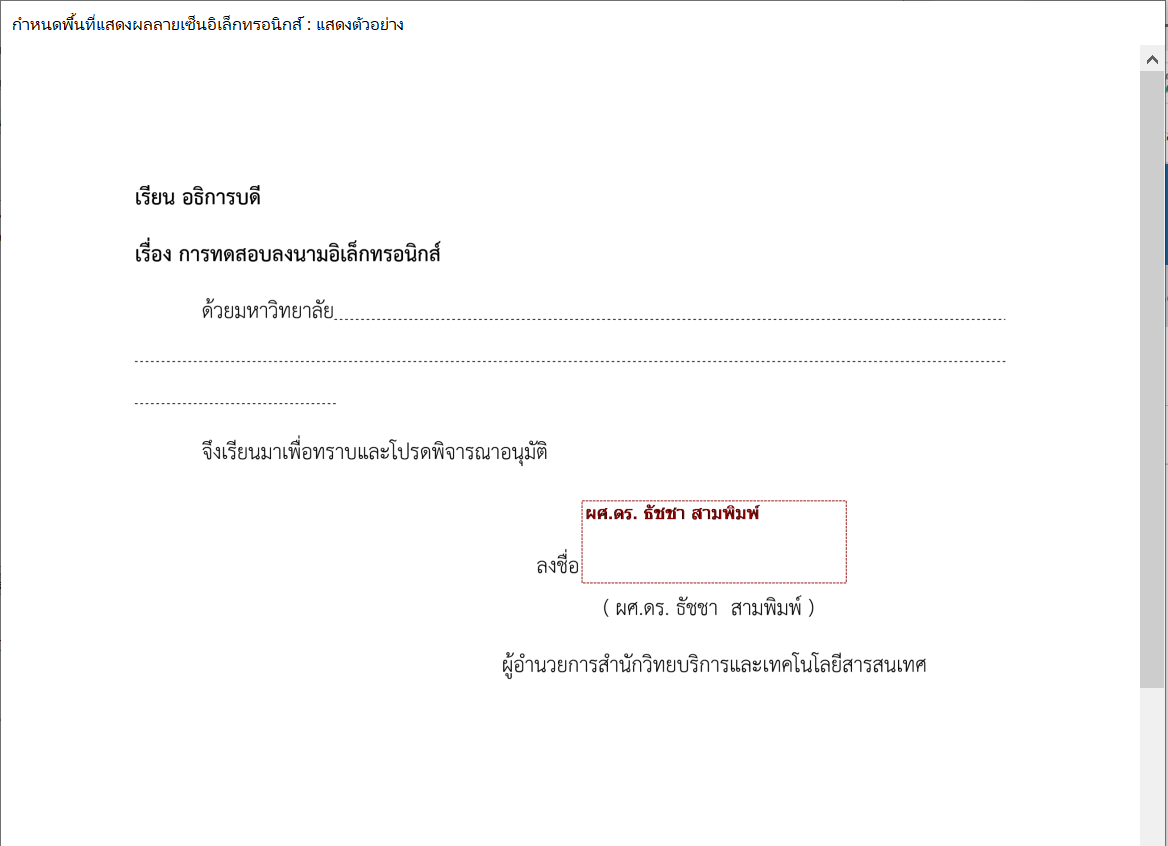](https://arit-manual.nstru.ac.th/uploads/images/gallery/2023-10/OxPimage.png)
เมื่อบันทึกพื้นที่ในการลงนามเรียบร้อยแล้วก็สามารถดำเนินการจัดส่งไปยังผู้ลงนาม จากนั้นเมื่อผู้รับลงนามเรียบร้อยแล้ว ลายมือชื่อของผู้ลงนามจะปรากฎในกรอบที่ผู้สร้างได้กำหนดไว้